KeeneticOS 5
KeeneticOS: the heart of a reliable connection, made simple for everyone, every day

Keenetic0S 5
Built for full control at ISP scale
KeeneticOS 5 is the foundation of modern Keenetic networks for service providers and professional users. It combines intelligent automation, secure access control, and advanced monitoring to make network deployment and management faster, safer, and more predictable
Built for real ISP workflows. Designed to scale with your network
Explore featuresCategory
- Security & Manageability
- Reliability & Speed
- Simplicity & Efficiency
- Remote Management
- Connectivity & Flexibility
- Security & Control
Core benefit
- Maintain full control over network operations while safely delegating routine tasks
- Deploy and connect devices faster with minimal manual effort
- Reduce configuration errors through automation and centralized management
- Manage wired, wireless, and mobile connectivity from a single interface
- Enforce network usage policies without operational complexity
- Control and restrict application access across the network
Granular access control without operational overhead
KeeneticOS 5 introduces the Manager role — allowing you to delegate routine network tasks while keeping critical system settings fully protected
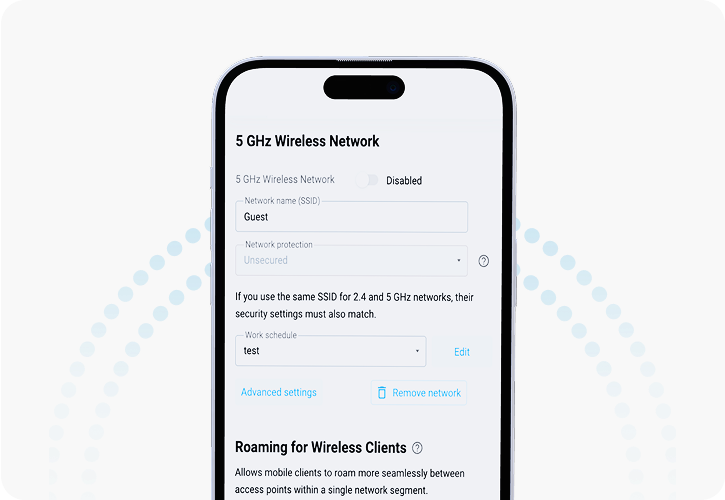
Managers handle everyday tasks such as Wi-Fi and guest access — without access to critical system settings
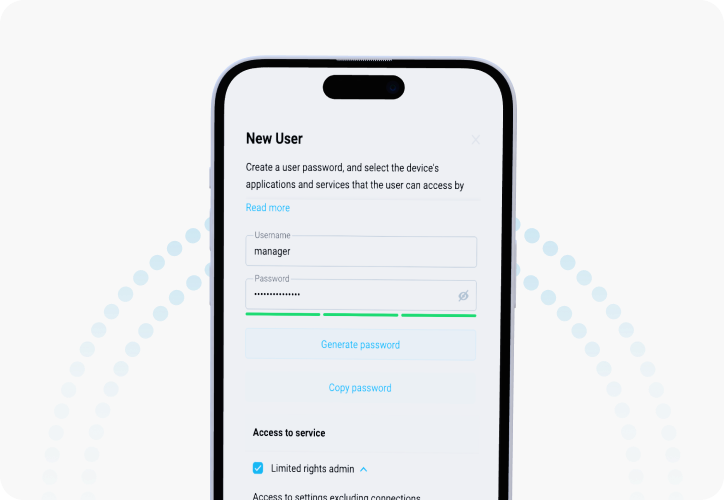
B2B Benefit: Secure delegation of operational tasks without compromising system control
ISP remote management
(TR-069 ready)
Built-in remote device management for large-scale deployments
- Next-Gen CWMP
KeeneticOS 5 introduces a modernized TR-069 CWMP Agent, enabling seamless integration with ISP Auto-Configuration Servers (ACS) for secure and reliable remote device management. Designed for large-scale deployments, this feature gives service providers full visibility and control over their networks — without on-site intervention.
Key advantages
 Remote diagnostics, configuration, and updates
 Compatibility with TR-181 Device:2 data model
 Unified management across ISP and enterprise deployments
B2B benefits
Reduced support costs, fewer on-site visits, and full lifecycle control over deployed devices
Actionable network intelligence for ISP operations
KeeneticOS 5 provides practical tools that help ISPs monitor traffic, diagnose issues, and optimize network performance — all from a single interface
Key capabilities include
 DNS routing
for flexible, domain-based traffic control
DNS routing
for flexible, domain-based traffic control
 WireGuard VPN server
with simple and secure setup
WireGuard VPN server
with simple and secure setup
 Redesigned Web interface
for faster, more intuitive control
Redesigned Web interface
for faster, more intuitive control
 Full IPv6 LAN support
integrated into the UI
Full IPv6 LAN support
integrated into the UI
 Wi-Fi System mobile integration
for seamless mobile connectivity extension
Wi-Fi System mobile integration
for seamless mobile connectivity extension
 Built-in diagnostic tools
for accurate performance testing
Built-in diagnostic tools
for accurate performance testing
New: eSIM management for mobile connectivity
KeeneticOS includes a built-in eSIM management interface, allowing mobile connectivity to be configured and controlled directly from the router
With this feature, you can:
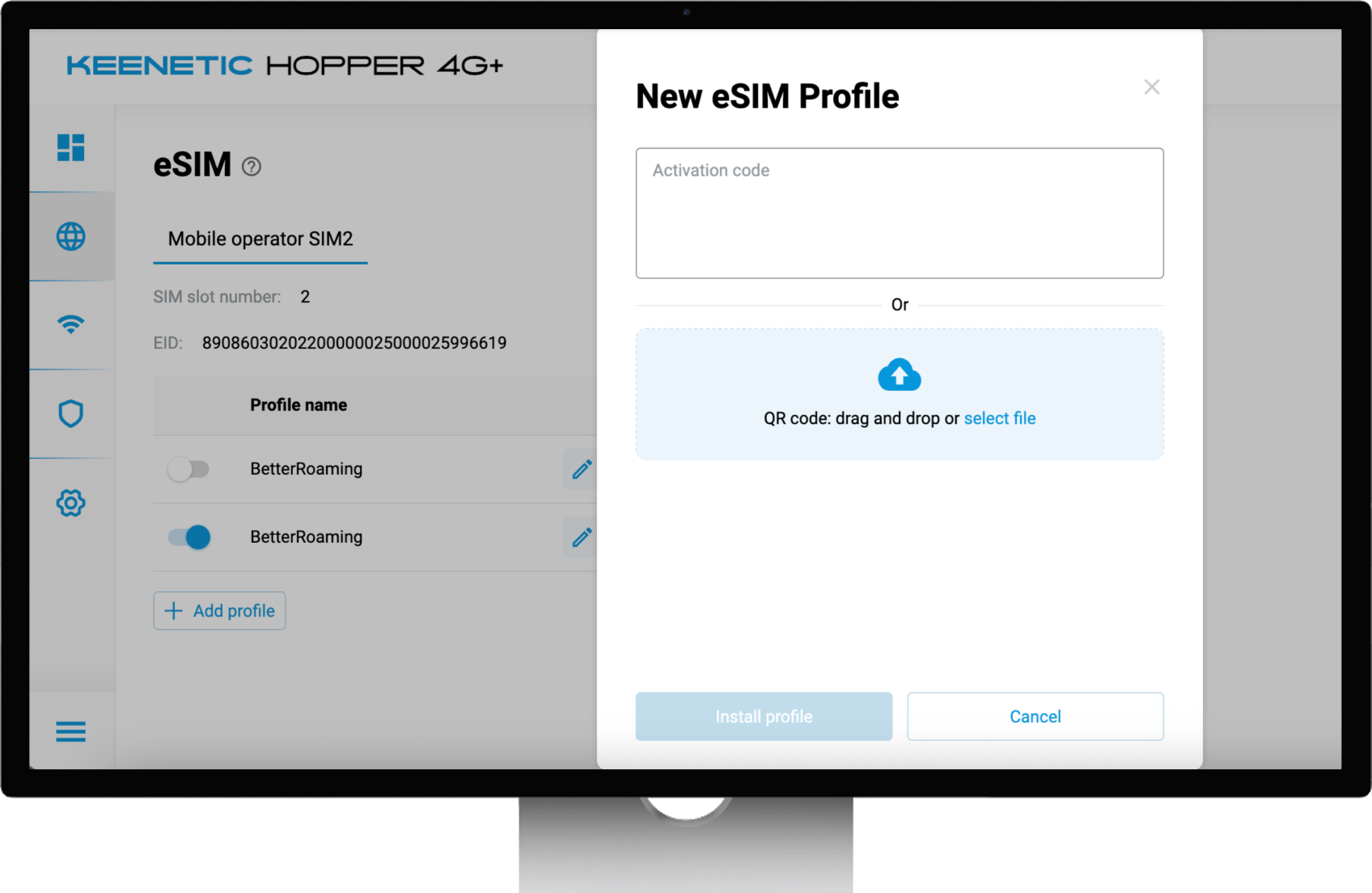
Add and store eSIM profiles
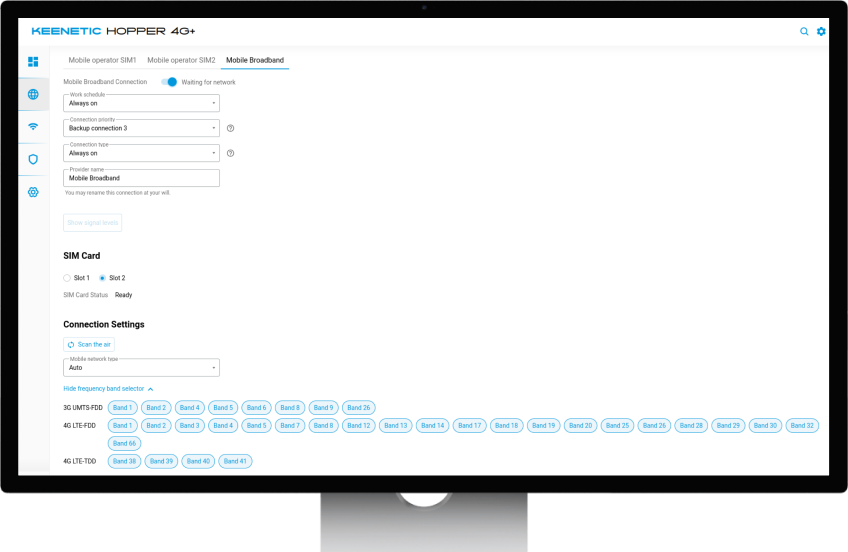
Switch operators or data plans without reconfiguration
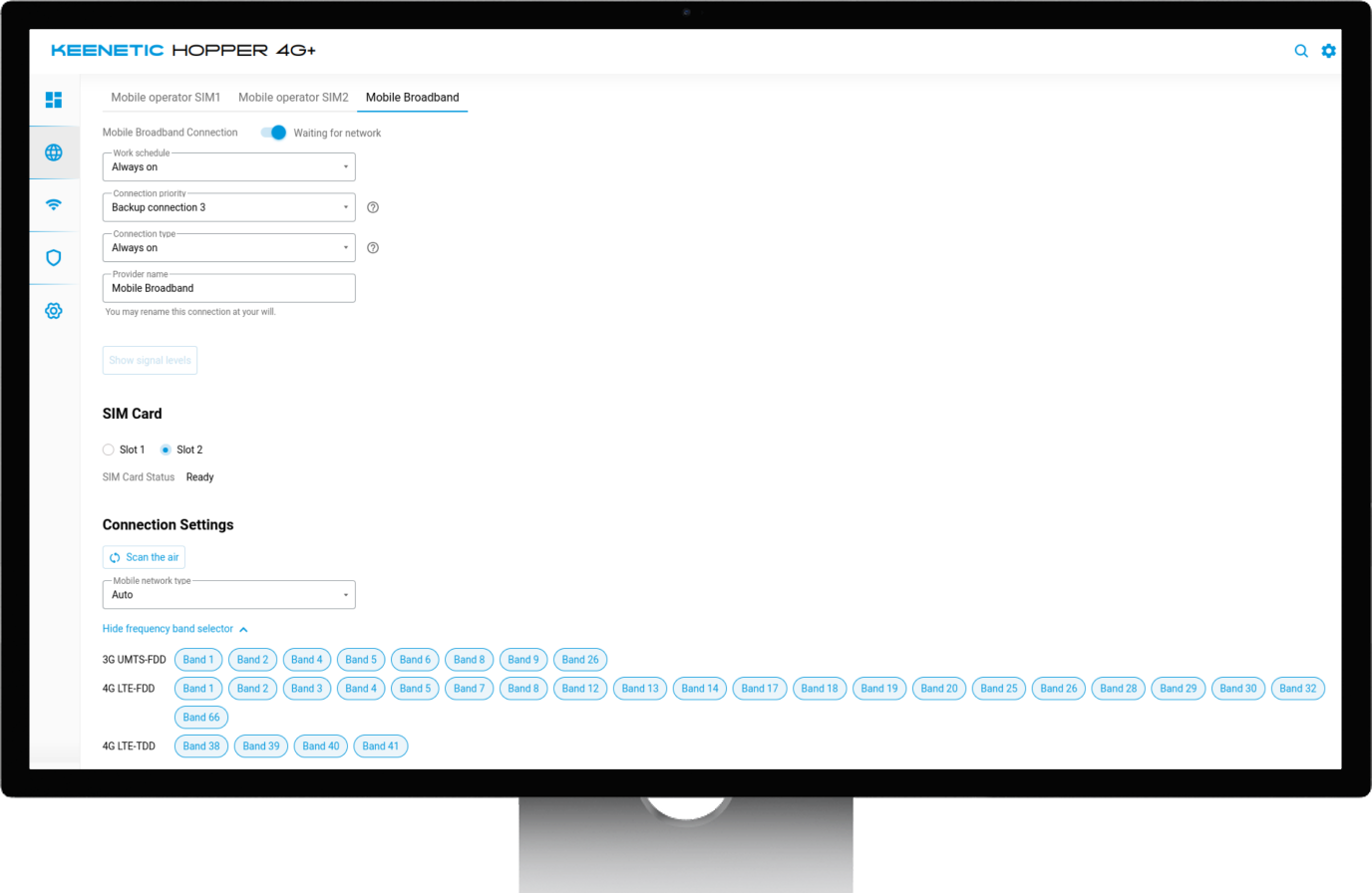
Manage mobile connectivity through the web interface
No additional applications or manual configuration are required — everything is handled in one place. This feature brings more flexibility and convenience for 4G/5G backup or primary WAN scenarios
Application Filtering
KeeneticOS 5 introduces Application Filtering, giving you visibility and control over application usage on your network
With this feature, you can:
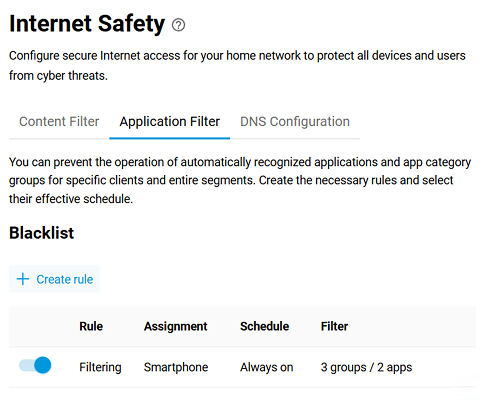
See which applications are being used on the network
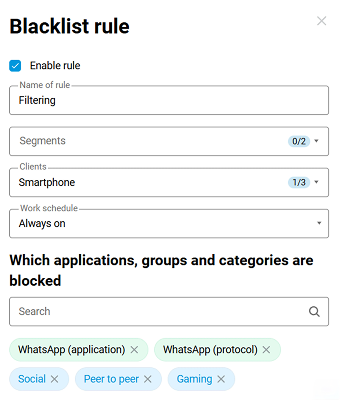
Block specific applications on selected devices
This allows better control over network usage, improves security, and helps enforce usage policies without complex configuration